
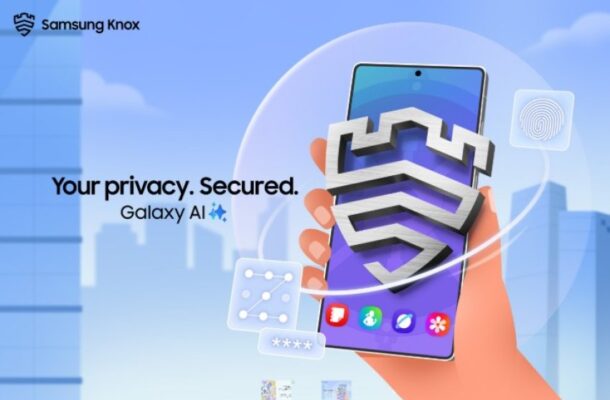
Privacy you can rely on: Secure Folder and Knox deliver advanced protection for Samsung Galaxy users. This report explores how Samsung’s security tools safeguard personal data, support BYOD environments, and shape the future of mobile privacy.
A New Standard for Smartphone Security
Privacy you can rely on: Secure Folder and Knox have become defining pillars of Samsung’s approach to digital protection. In an era when smartphones operate as our wallets, notebooks, workstations and entertainment hubs, securing personal data has never been more essential. Samsung’s security ecosystem is designed not only to safeguard sensitive information, but also to evolve with users—supported by years of operating system updates across the Galaxy portfolio.
As mobile threats grow increasingly sophisticated, Samsung is positioning Galaxy devices as a safe haven for millions of users worldwide.
Privacy You Can Rely On: Secure Folder and Knox Explained
A Digital Vault for Your Most Important Information
Many users store airline tickets, credit card details, private documents, and thousands of photos on their phone. With Privacy you can rely on: Secure Folder and Knox, Samsung provides a protected, encrypted space built directly into Galaxy devices.
Secure Folder acts as a hidden chamber within the device—accessible only through a fingerprint, PIN, or password. Once inside, users can store photos, files, and apps entirely separate from the main phone environment.
Underpinning this technology is Samsung Knox, a security platform trusted by global institutions, enterprises, and government agencies. Its multi-layered protection ensures that even if the phone is shared with friends or family, the contents of Secure Folder remain completely inaccessible.
A “Phone Within a Phone”: Knox for Personal and Professional Use
Supporting the Modern BYOD Workplace
Samsung Knox offers more than encryption—it enables users to create a secondary, fully secured environment inside their device. This virtual space allows the installation of additional apps that remain locked behind dedicated authentication.
This capability makes Knox ideal for Bring Your Own Device (BYOD) scenarios. Employees can keep work apps locked inside the Knox workspace while continuing to use personal apps in the main profile, or vice versa. Companies benefit from a secure management system, while users enjoy the flexibility of carrying a single device.
Samsung emphasises that this dual-layer environment helps balance corporate security requirements with personal privacy, offering a solution that adapts to different organisational policies.
Expanding Access: Galaxy A Series and Galaxy S25 FE
Long-Term Updates and Reliable Performance
Samsung is extending this high level of protection across a wider range of devices. The Galaxy A series and the Galaxy S25 FE both offer Secure Folder and Knox, making advanced security more accessible to the general public.
The Galaxy A series now includes up to six years of operating system updates, while the S25 FE offers up to seven years—ensuring that security remains up to date throughout the device’s lifecycle. Combined with strong performance and long battery life, these models strengthen Samsung’s position in both consumer and business markets.
Try Galaxy: A Glimpse Into the Future of Mobile Privacy
Experience Features Without Owning the Device
For those who do not yet own a Galaxy device, Samsung encourages users to download the Try Galaxy app. The application allows non-Galaxy users to test the latest software features and experience Samsung’s ecosystem directly from their existing smartphones.
About Samsung Electronics
Samsung continues to influence industries across the globe through innovation in smartphones, wearables, home appliances, digital signage, networking systems, and more. The company is expanding rapidly into AI, robotics, automotive technologies, HVAC solutions and medical imaging, supported by the SmartThings ecosystem and a wide network of global partners.
For the latest updates, Samsung invites consumers to visit the Samsung Newsroom.
Comments